
Unsubscribes & Bounces Report
Modified on: Tue, 26 May, 2026 at 9:14 PM
TABLE OF CONTENTS
- Introduction
- How to Unsubscribe a Customer from within CustomerGauge
- Deleting an Unsubscribe or Bounce
- Bounce details
Introduction
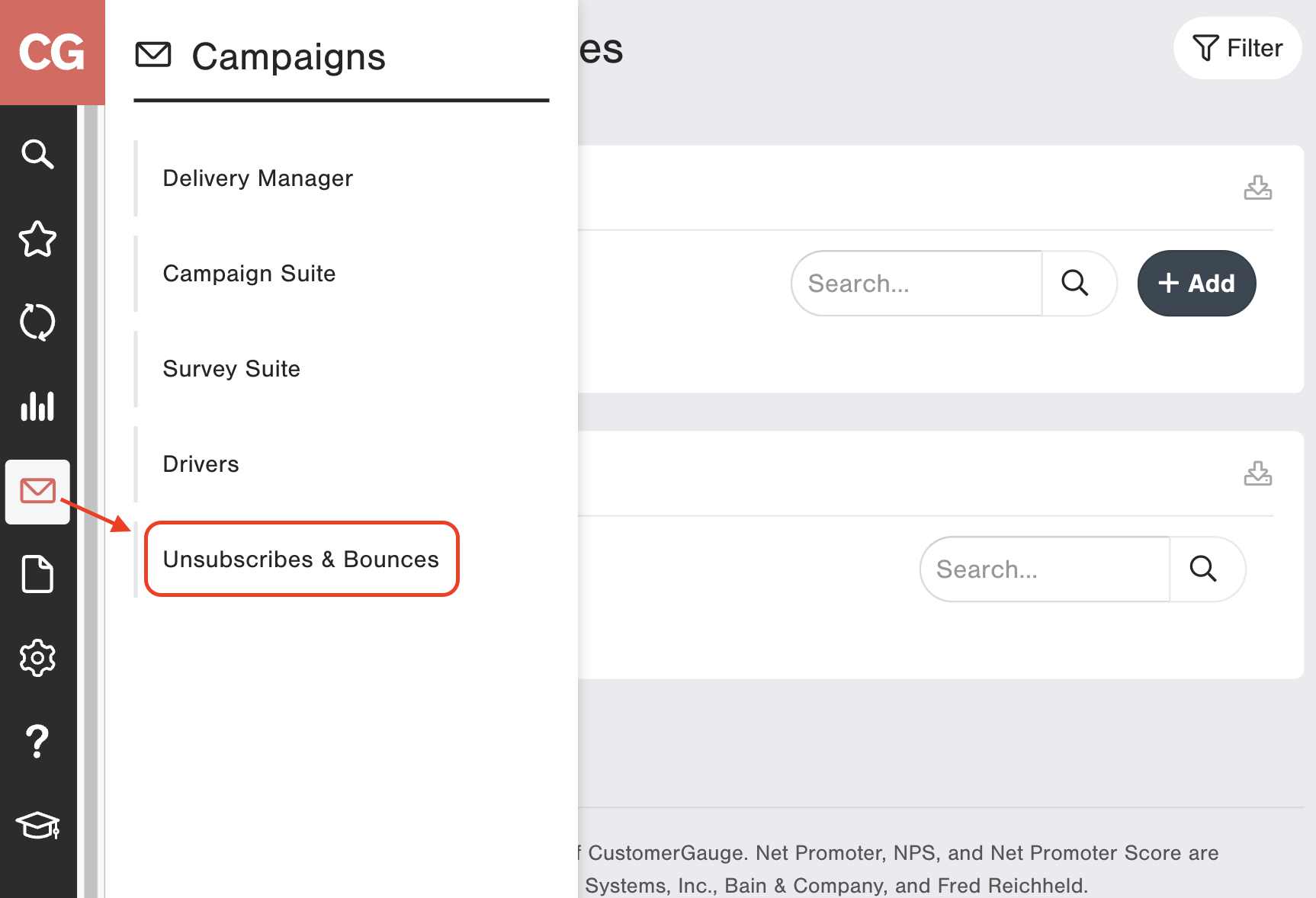
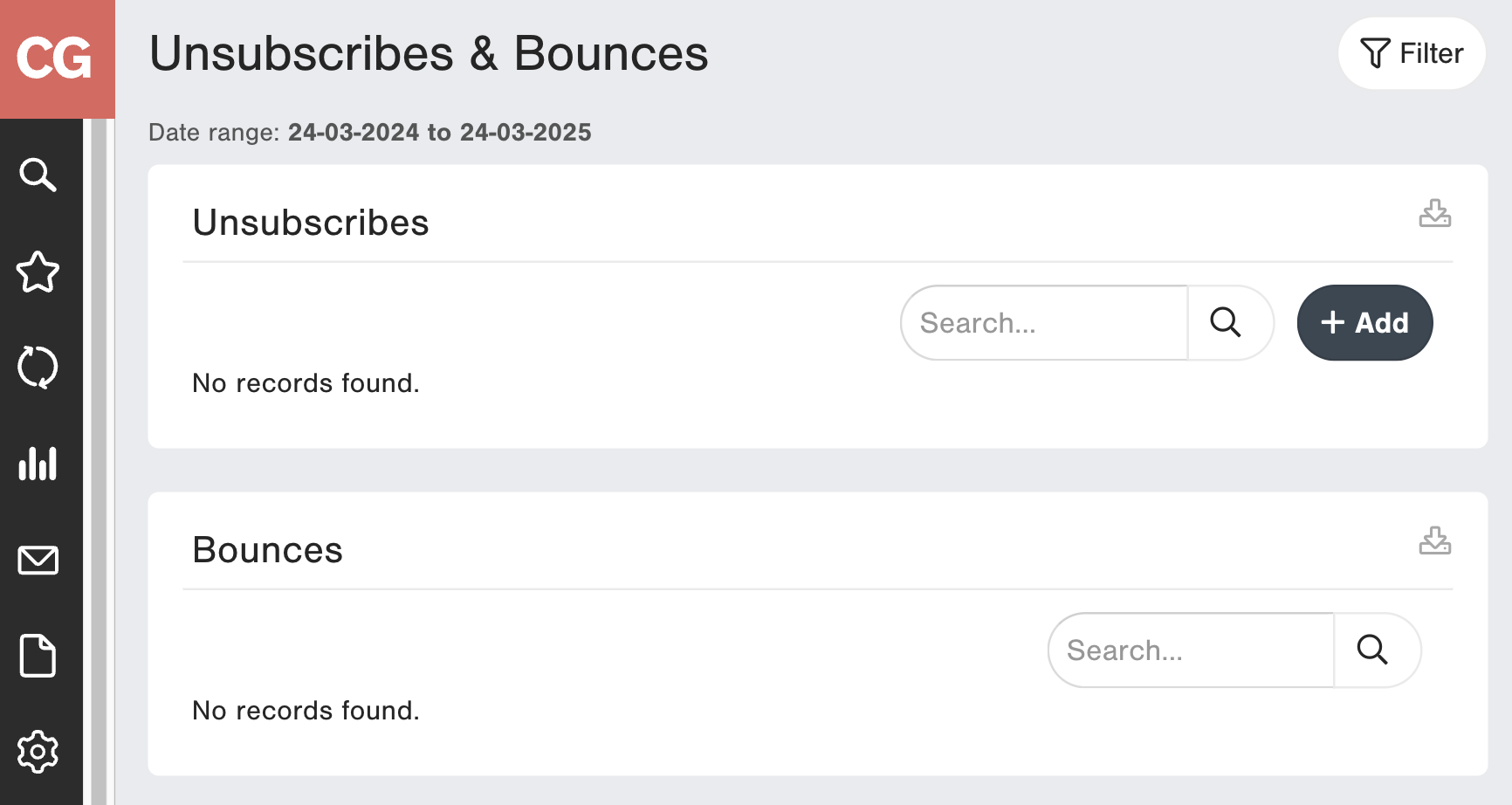
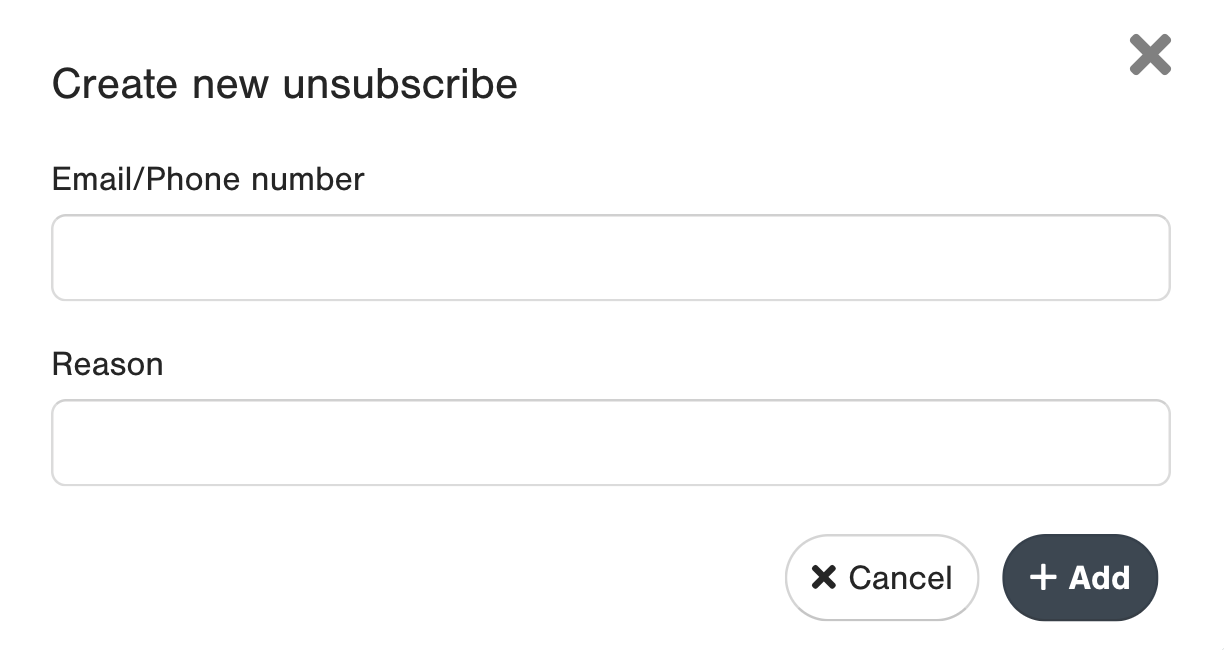
You can find the complete list of customer emails that have unsubscribed in the Unsubscribe & Bounces section under Campaigns on the menu. It displays email / phone number / domain and date of unsubscribe. You can also manually add an unsubscribe to this list and download the data in the page.

Additionally, you can report on Unsubscribes with our Get Unsubscribe API.
You can also find the complete list of customer emails that have bounced. It displays email, bounce type, bounce date and reason. You can also manually add a bounce to this list and download the data in the page.

You can filter by the Unsubscribe date or Bounce Date. This date is applicable on the report level, so the dates you add here will be applied on both Unsubscribes and Bounces list.
The default date range is 1 year rolling period.

How to Unsubscribe a Customer from within CustomerGauge
To manually unsubscribe a customer email address:
1) Add directly from the Unsubscribes & Bounces Report
2) Go to the Contact Page
Go to the Contact by clicking on the name of the Survey Record. Click in the three dots in the top right and add email or phone to unsubscribes list.

Please note that Bounce records do not have survey links (non response survey links) generated for them.
Deleting an Unsubscribe or Bounce
Each email/phone number unsubscribed can be deleted (so the client will receive the surveys again).
In the Contact Page, in the same actions button you can also remove email/phone from unsubscribes list.

Bounce details
There are 2 types of bounces associated with CG sends. Soft and Hard bounces.
A soft bounce normally happens when the receiving Mail Server is temporarily unable to receive the email. There are several reasons why this would happen. The following are reasons for soft bounces.
- A server is unavailable or it’s down
- The server is overloaded
- The recipient’s mailbox is full
- Your message size is too big
In this case CG tried to deliver the message again at a later point in time.
A hard bounce is more permanent. A hard bounce removes the subscriber from the list. There are several reasons why an email would hard bounce. The main characteristic though, is that it is a permanent rejection. Below is a list of the most bounce codes:
Bounce code | Bounce type | Description |
| 5.0.0 | Hard | Address does not exist |
| 5.1.0 | Hard | Other address status |
| 5.1.1 | Hard | Bad destination mailbox address |
| 5.1.2 | Hard | Bad destination system address |
| 5.1.3 | Hard | Bad destination mailbox address syntax |
| 5.1.4 | Hard | Destination mailbox address ambiguous |
| 5.1.5 | Hard | Destination mailbox address valid |
| 5.1.6 | Hard | Mailbox has moved |
| 5.1.7 | Hard | Bad sender\’s mailbox address syntax |
| 5.1.8 | Hard | Bad sender’s system address |
| 5.2.0 | Soft | Other or undefined mailbox status |
| 5.2.1 | Soft | Mailbox disabled, not accepting messages |
| 5.2.2 | Soft | Mailbox full |
| 5.2.3 | Hard | Message length exceeds administrative limit. |
| 5.2.4 | Hard | Mailing list expansion problem |
| 5.3.0 | Hard | Other or undefined mail system status |
| 5.3.1 | Soft | Mail system full |
| 5.3.2 | Hard | System not accepting network messages |
| 5.3.3 | Hard | System not capable of selected features |
| 5.3.4 | Hard | Message too big for system |
| 5.4.0 | Hard | Other or undefined network or routing status |
| 5.4.1 | Hard | No answer from host |
| 5.4.2 | Hard | Bad connection |
| 5.4.3 | Hard | Routing server failure |
| 5.4.4 | Hard | Unable to route |
| 5.4.5 | Soft | Network congestion |
| 5.4.6 | Hard | Routing loop detected |
| 5.4.7 | Hard | Delivery time expired |
| 5.5.0 | Hard | Other or undefined protocol status |
| 5.5.1 | Hard | Invalid command |
| 5.5.2 | Hard | Syntax error |
| 5.5.3 | Soft | Too many recipients |
| 5.5.4 | Hard | Invalid command arguments |
| 5.5.5 | Hard | Wrong protocol version |
| 5.6.0 | Hard | Other or undefined media error |
| 5.6.1 | Hard | Media not supported |
| 5.6.2 | Hard | Conversion required and prohibited |
| 5.6.3 | Hard | Conversion required but not supported |
| 5.6.4 | Hard | Conversion with loss performed |
| 5.6.5 | Hard | Conversion failed |
| 5.7.0 | Hard | Other or undefined security status |
| 5.7.1 | Hard | Delivery not authorized, message refused |
| 5.7.2 | Hard | Mailing list expansion prohibited |
| 5.7.3 | Hard | Security conversion required but not possible |
| 5.7.4 | Hard | Security features not supported |
| 5.7.5 | Hard | Cryptographic failure |
| 5.7.6 | Hard | Cryptographic algorithm not supported |
| 5.7.7 | Hard | Message integrity failure |
| 9.1.1 | Hard | Hard bounce with no bounce code found. It could be an invalid email or rejected email from your mail server (such as from a sending limit). |
Email Reputation Protection
In order to protect both our and your email sending reputation, CustomerGauge will monitor for any abnormally high bounce or "complaint" (people who mark your email as "spam") rates. If your bounce rate exceeds 4% (e.g. more than 40 out of every 1000 email sends) or your complaint rate exceeds 0.1% (e.g. more than 1 out of every 1000 email sends), CustomerGauge reserves the right to temporarily suspend your platform's email sending.
In order to reduce the risk of getting flagged, if you are unsure of the cleanliness or hygiene of your data, start by uploading only small batches of data at a time, and carefully monitoring your Data Transport Report. If you are seeing Bounce rates above 4%, continue uploading data in small batches only, and spread out over days (not all in the same day), in order to avoid your platform's email sending from being temporarily suspended.
If your platform does get suspended, we will notify you both via email and an in-platform pop-up alert/message.
Did you find it helpful? Yes No
Send feedback