
TABLE OF CONTENTS
- What is Signal?
- Where can I find it?
- Who is this activated for?
- Where is the AI capability hosted?
- Creating Signals in bulk
- Interaction with Workflow Rules and Outgoing Webhooks
What is Signal?
Signal is a Gaige AI agent that helps organizations make sense of customer conversations that are often scattered across different channels, teams, and formats. It takes a text-based input to identify meaningful insights and turn them into actionable survey responses through its dedicated flow, triggering all post-response processes, such as Workflow/Close the Loop alerts, Outgoing Webhooks, and Comment Analysis.
In practice, Signal turns everyday customer feedback into real-time sentiment intelligence. This helps teams spot early patterns, understand what customers are trying to say, and take action before small issues become larger ones. The result is a clearer view of customer needs and a stronger foundation for more timely, thoughtful relationships.
Where can I find it?
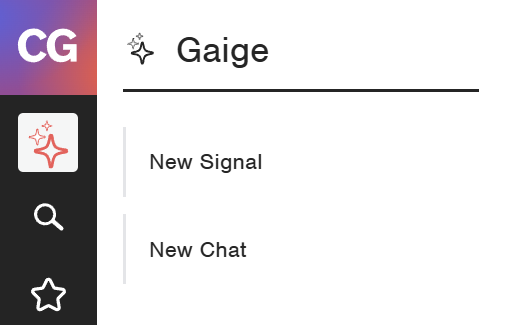
If its enabled in your system, it can be found on the Menu in the Gaige section:
Who is this activated for?
- The feature is activated for all Admin roles.
- The Feature respects the data access restriction setup in your system.
Where is the AI capability hosted?
- The AI capability is hosted in the region of your system within our ecosystem.
- Looking for information on the Data privacy? Contact your Strategic Account Manager for the details.
Creating Signals in bulk
To create/import Signals in bulk, you can use the Imports functionality in CustomerGauge. You will need to start by creating a new Mapping for "Signal".
Interaction with Workflow Rules and Outgoing Webhooks
By default, Signal responses will trigger any matching Workflow Rules or Outgoing Webhooks.
If this is not something you desire to happen, you may add the following Data filter to any or all relevant Workflow Rules or Outgoing Webhooks in order to "exclude" Signal responses from them:
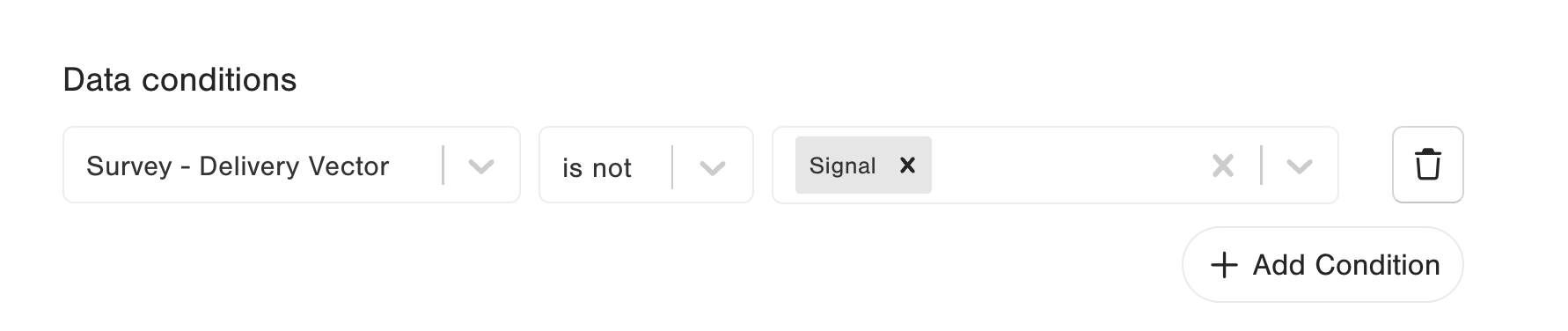
Be sure to select the "is not" option for the Delivery Vector field and then add the value "Signal" to exclude the Signal resposes.
Note: You will need to have created at least one Signal record previously in order to see the value "Signal" as a filterable option in the Delivery Vector field.